
Whatnot seller tools that just work.
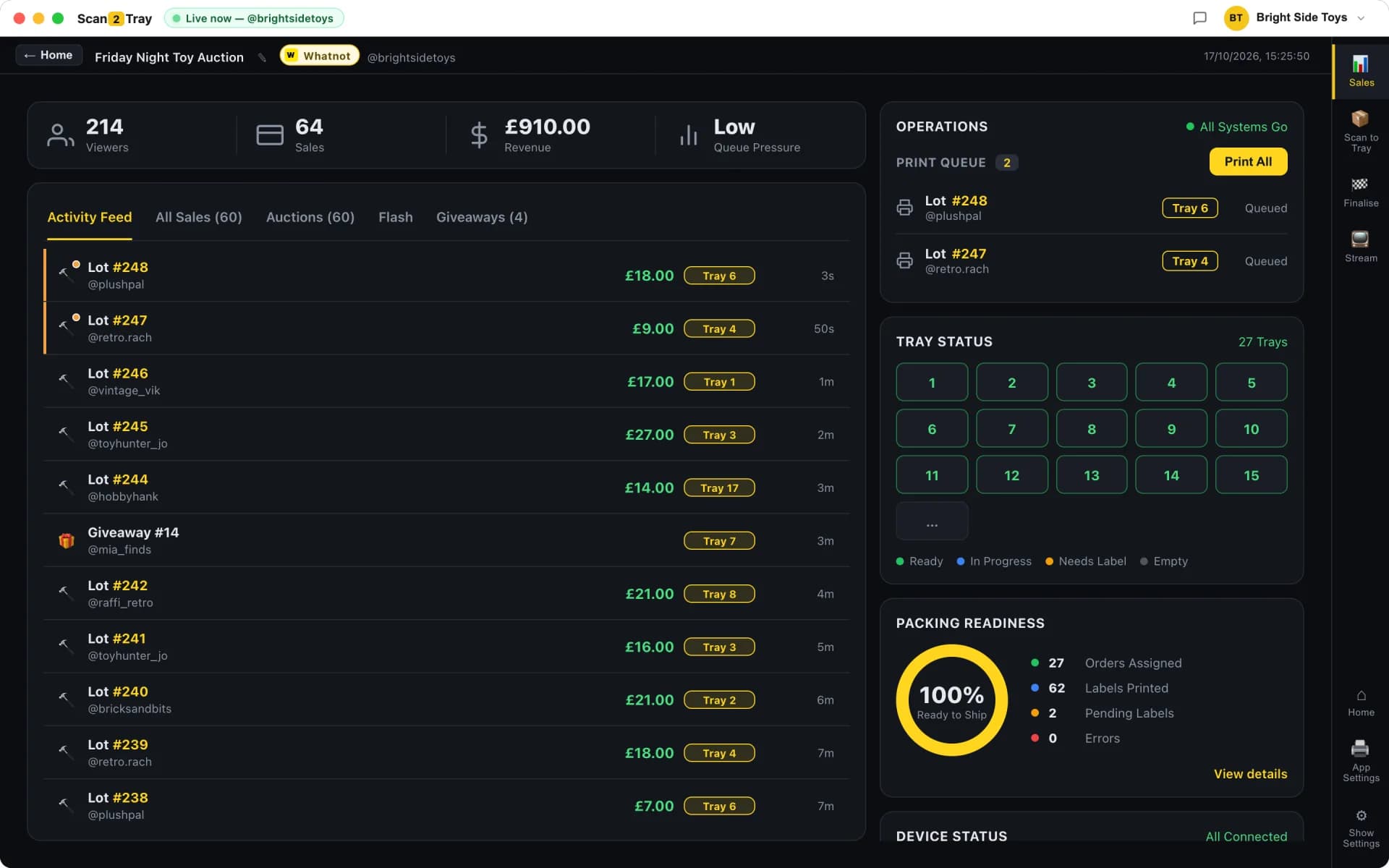
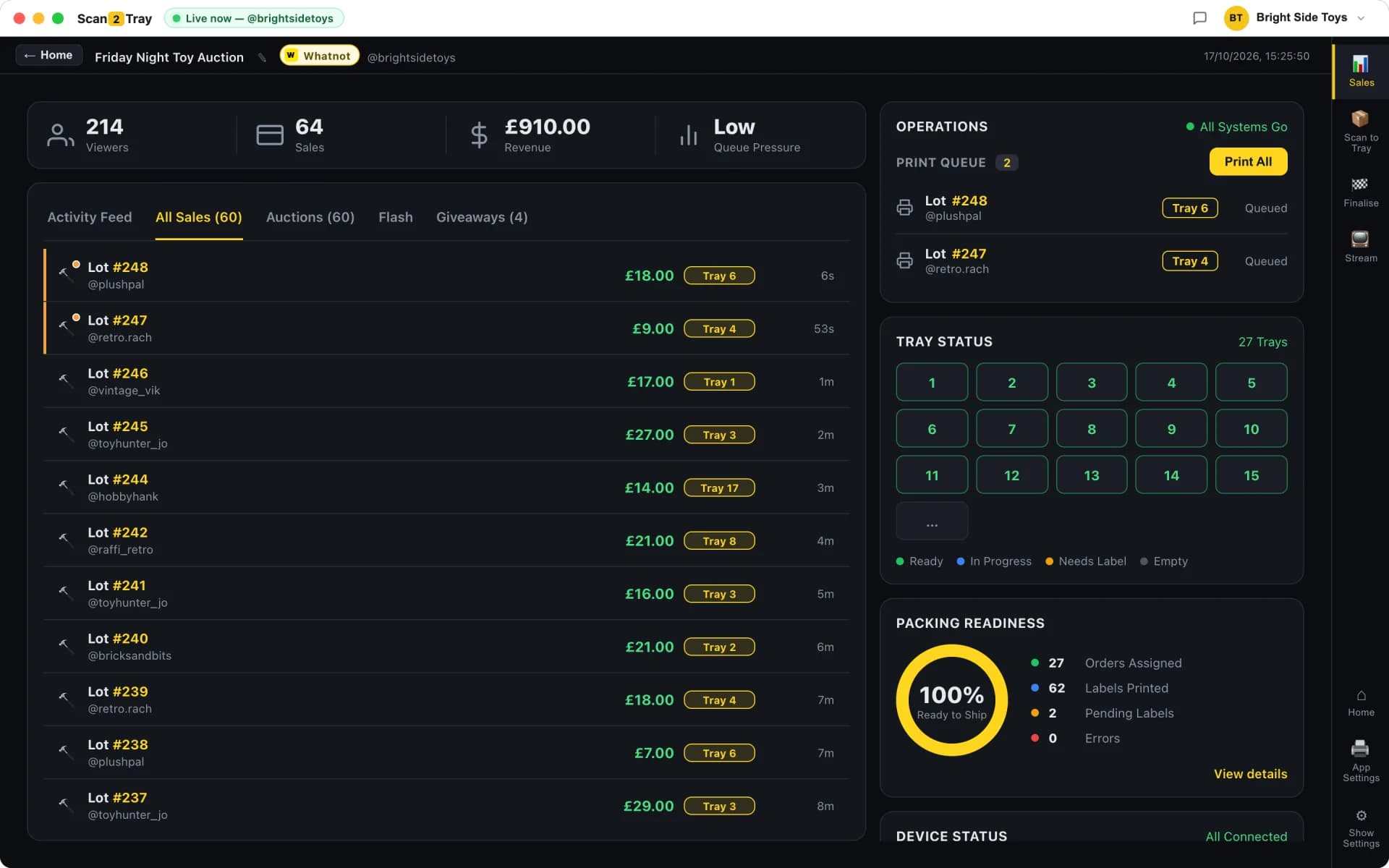
Scan2Tray is a desktop app for Mac and Windows that listens to your Whatnot show in real time, prints a tray-assigned label the moment each item sells, and makes end-of-show shipping a fraction of what it used to be. Dead simple by default, with power modes when you're ready.
The only Whatnot seller tool you actually need
There's a cottage industry of Whatnot seller tools promising to solve fifteen different problems — inventory management, listing automation, CSV exporters, chatbot assistants, analytics dashboards. Most Whatnot sellers don't need any of that. They need one thing: an easy way to pack the long list of items they just sold without losing their mind.
That's what Scan2Tray is. It's focused on the single workflow that eats your evenings — turning a chaotic pile of sold items into correctly-packed parcels ready to ship — and it does it better than anything else on the market. Because it does one thing instead of twenty, there's almost nothing to learn. Most sellers are up and running in five minutes.
- Live Whatnot show capture — no CSV exports, no manual entry
- Tray-number label prints the instant an item sells (Simple Mode)
- Item description, buyer username and tray number on every label
- Shipping labels automatically reordered to match your tray order
- Barcode scanning for power sellers who prefer rapid post-show packing
- PDF slip import for anyone already running a different Whatnot workflow
What makes it a proper Whatnot seller tool
Unlike generic order-management tools bolted onto Whatnot with a CSV export, Scan2Tray was built specifically for how Whatnot auctions actually work — the hammer-drop speed, the multi-buy customers, the need to keep selling while staying on top of who won what. Every feature exists because a real Whatnot seller asked for it.
Desktop app, not another browser tab
Scan2Tray is a native desktop app for Mac and Windows. It sits alongside your Whatnot stream, connects to your label printer directly (no browser print dialogs), and keeps working even when your internet blips. If you've ever had a browser tab crash mid-show and lost track of five sales, you know why this matters.
Built for how Whatnot actually runs
Most tools force your workflow to match the software. Scan2Tray does the opposite — the software matches how you already work. Go live, sell items, pack as labels print, ship at the end. No new process to learn, no team training, no weekend spent reading docs.
The simplest mode (called Simple Mode, naturally) is the default. A label prints when an item sells. You stick it on. You drop it in the numbered tray. That's the entire workflow. No barcode scanner required, no CSVs to download, no PDFs to upload, no app to open on your phone. Most sellers never use anything else.
Power modes for serious sellers
When you're hitting sub-5-second sales during a hot run or running a team of packers, Simple Mode isn't quite fast enough. That's what power modes are for. Pre-print barcodes on your stock before the show, then scan each item during or after the stream to instantly see which tray it belongs in. Run multiple packers on different mobile devices. Import Whatnot's shipping labels PDF and let Scan2Tray reorder it for you.
- Barcode-verified packing — scan item, scan tray, Scan2Tray checks the match
- Pre-printed stock barcodes for sub-5-second sales
- Free mobile companion app for iPhone and Android
- Team mode with per-packer device sync
Hardware we support
Scan2Tray works with standard off-the-shelf hardware — nothing proprietary, nothing expensive. A USB thermal label printer that takes 50mm × 25mm label rolls is the only thing you need. If you don't already have one, we sell a starter bundle with a printer, label roll holder and one roll for £129.99. Plug it in, Scan2Tray finds it, you're printing labels.
Free to start. Mac and Windows included.
No add-ons, no per-seat pricing, no surprise upsells. You get the desktop app for Mac and Windows, the free mobile companion for your team, and all the power modes. Start free and run real shows end to end; upgrade to a paid plan only when you scale past the free allowance.
No credit card required to start. Sign up, set it up, and run real shows free. Upgrade to a paid plan when you grow — and cancel anytime.
Scan2Tray vs doing it manually
Most Whatnot sellers who try Scan2Tray have been packing orders with a spreadsheet, a handful of sticky notes, and raw memory. Here's what changes.
| Manual / spreadsheet | Scan2Tray Simple Mode | |
|---|---|---|
| Time to pack 500 orders | 4-6 hours | ~30 minutes |
| Sale → sorted into buyer tray | Manual lookup every time | Label prints with tray on it |
| Multi-buy customers | Prone to being split across parcels | Same tray every time, automatic |
| Shipping labels matched to parcels | Hunt for the right one | Stack reordered to match trays |
| Mispacks per 1,000 orders | 2-5 typical | Zero |
| Training a new packer | 30-60 minutes + supervision | ~5 minutes |
| What you need to set up | Spreadsheets + sticky notes | Download app, connect show |
Common questions
What Whatnot seller tools do I actually need to run a successful show?+
Honestly, not many. A reliable way to pack your orders, a thermal label printer with 50mm × 25mm labels, and a decent internet connection. Scan2Tray handles the packing workflow end to end — live capture from your Whatnot stream, tray-assigned labels, reordered shipping labels — so you don't need a shelf full of other tools.
Does Scan2Tray work with multiple Whatnot accounts?+
Yes. You can connect multiple Whatnot shows and accounts to the same Scan2Tray install, which is useful if you run multiple brands or help other sellers pack their shows. The organisation structure in Scan2Tray is built for multi-account use from day one.
Do I need a barcode scanner for Whatnot orders?+
No. In Simple Mode, no scanner or app is needed at all — the tray number prints right on the label, so you just read it and drop the item in the tray. Scanners are only used in power modes for high-volume or team packing, and even then they're optional.
Is Scan2Tray an official Whatnot integration?+
Scan2Tray is built by Whatnot sellers for Whatnot sellers. It's not an official Whatnot product, but it works with every Whatnot seller account — you log in once, and it listens to your live shows from then on. Whatnot has publicly discussed third-party tools positively; many of its top sellers use Scan2Tray.
How long does it take to learn?+
Most sellers are packing their first Simple Mode show within five to ten minutes of downloading the app. There's nothing to configure beyond connecting your Whatnot account and loading a roll of labels into your printer. Power modes take a few more minutes to set up but are still simple.
How much does it cost?+
Start free with no card — run your first shows and use every feature end to end. Paid plans start at £15/month once you outgrow the free allowance, with Unlimited at £39.99/month. Cancel anytime.
Related reading
Whatnot bulk seller tools
Running 500+ sales a show? Here's how sellers pack 1,000 orders in an hour with one person.
Whatnot order management
The sale-to-shipped workflow — live capture, tray assignment, reordered shipping labels.
Whatnot shipping tool
Print shipping labels in tray order, so every parcel lines up with its label.
Why Simple Mode works for 90% of sellers
An inside look at why we made the simplest workflow the default.
Start completely free.
Pack real shows end to end — scanning, trays, label printing, the lot — before you pay a penny. Every plan covers Whatnot, TikTok Shop and eBay Live in one subscription. Upgrade only when you outgrow the free allowance.
No card required to start
Run your first couple of shows free and see Scan2Tray work end to end.
Get started — free- Run your first shows on us — no card needed
- Whatnot, TikTok Shop & eBay Live included
- Full live sale capture & auto-assigned trays
- Barcode & shipping label printing
- macOS and Windows apps included
- Upgrade any time as you grow
For regular sellers running shows every week.
Choose Standard- Unlimited shows
- Up to 150 items per show
- Live sale capture & auto label printing
- Revenue tracking & reports
- Priority email support
For high-volume sellers and teams with no limits.
Choose Unlimited- Everything in Standard
- Unlimited items per show
- Unlimited scans
- Advanced modes for rapid sellers
- Export & advanced reports
Prices shown in your local currency. Cancel anytime — your data stays yours.